
One Complaint, One Responsible Person, One Deadline: How Queixate's Management Portal Works
When someone writes "the street is full of potholes" or "the streetlight at that bus stop is broken," they expect just one thing: that someone sees it, takes ownership, and resolves it.
On the other side, those working in a municipality or parish know that the hard part is rarely wanting to solve it. It's knowing, at three o'clock on a Thursday afternoon, which of the open complaints still don't have an owner and which are about to pass the deadline.
Queixate's Management Portal exists to answer that question in seconds. It's available to municipalities and is the space where complaints submitted on Queixate for each territory are handled.
The problem isn't volume. It's dispersion.
Complaints reach municipalities from all sides: institutional email, phone, counter, social networks, website forms. None of these channels talk to each other.
The result is well-known:
- the same complaint about the same streetlight can be registered in three places;
- "who's handling this?" doesn't have a quick answer;
- citizens contact again because they don't know if someone picked it up;
- and old complaints only reappear when someone complains again.
The Portal doesn't solve all channels. It solves one: everything that comes through Queixate for that territory appears in a single list, without anyone having to copy anything by hand.
What the municipality sees when they log in
The portal has two tabs. The first is Complaints.
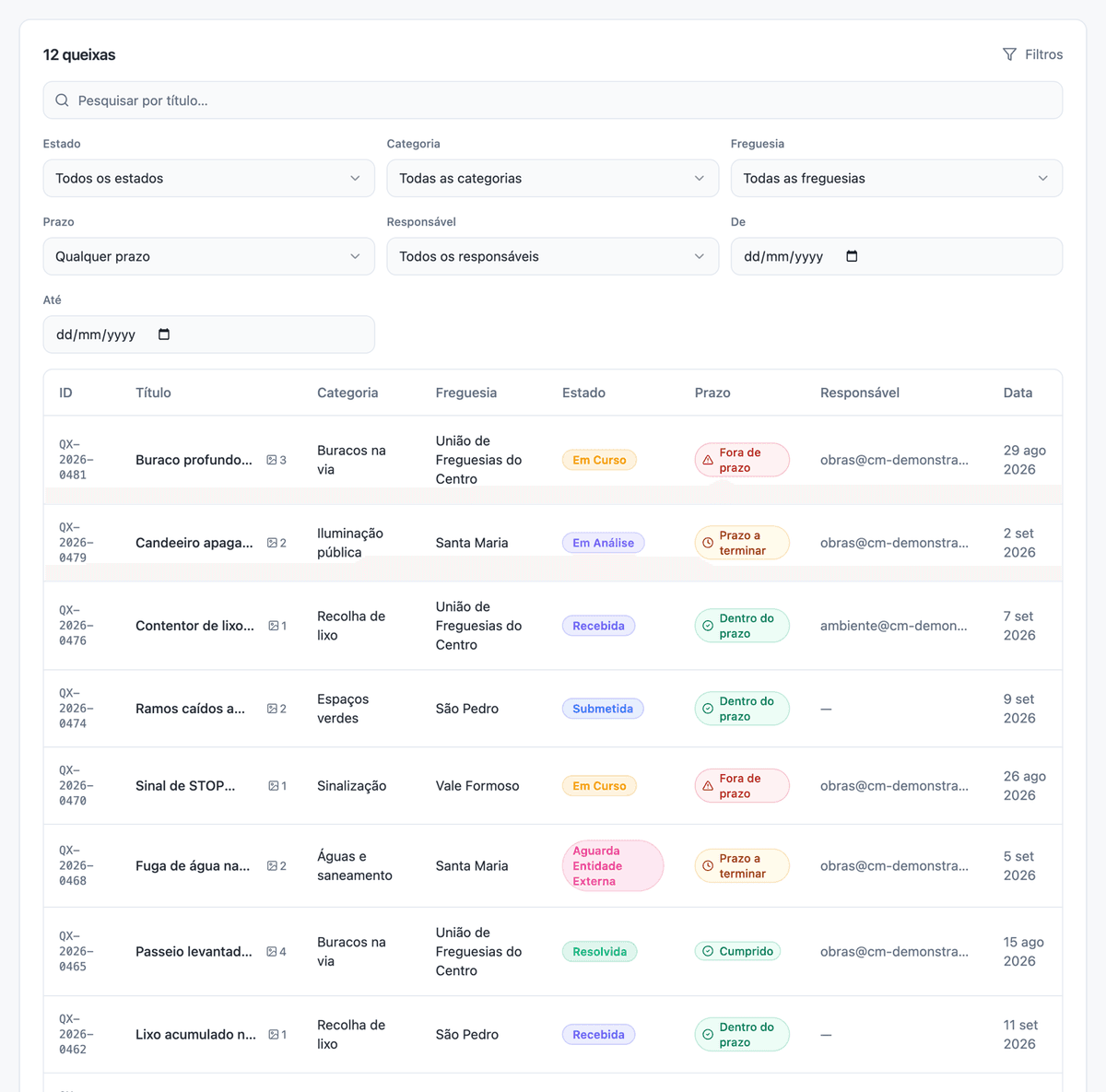
It's a list with one line per complaint and the columns that matter for triage:
ID, Title, Category, Parish, Status, Deadline, Responsible, and Date. Each complaint has a public identifier — QX-2026-00481 — that serves to talk about it on the phone or in minutes.
Above the list there's search by title and filters by status, category, parish, deadline, responsible person, and date range. These filters are where the real work happens: "show me what's past deadline in Santa Maria parish" or "show me what's assigned to me".
The second tab is Indicators: counters for how many complaints are within deadline, deadline ending soon, and past deadline.
Each complaint has a page, and that page has everything
When opening a complaint, the municipality sees the description written by the citizen, the photos they attached, and the complete history: each status change with date and author.
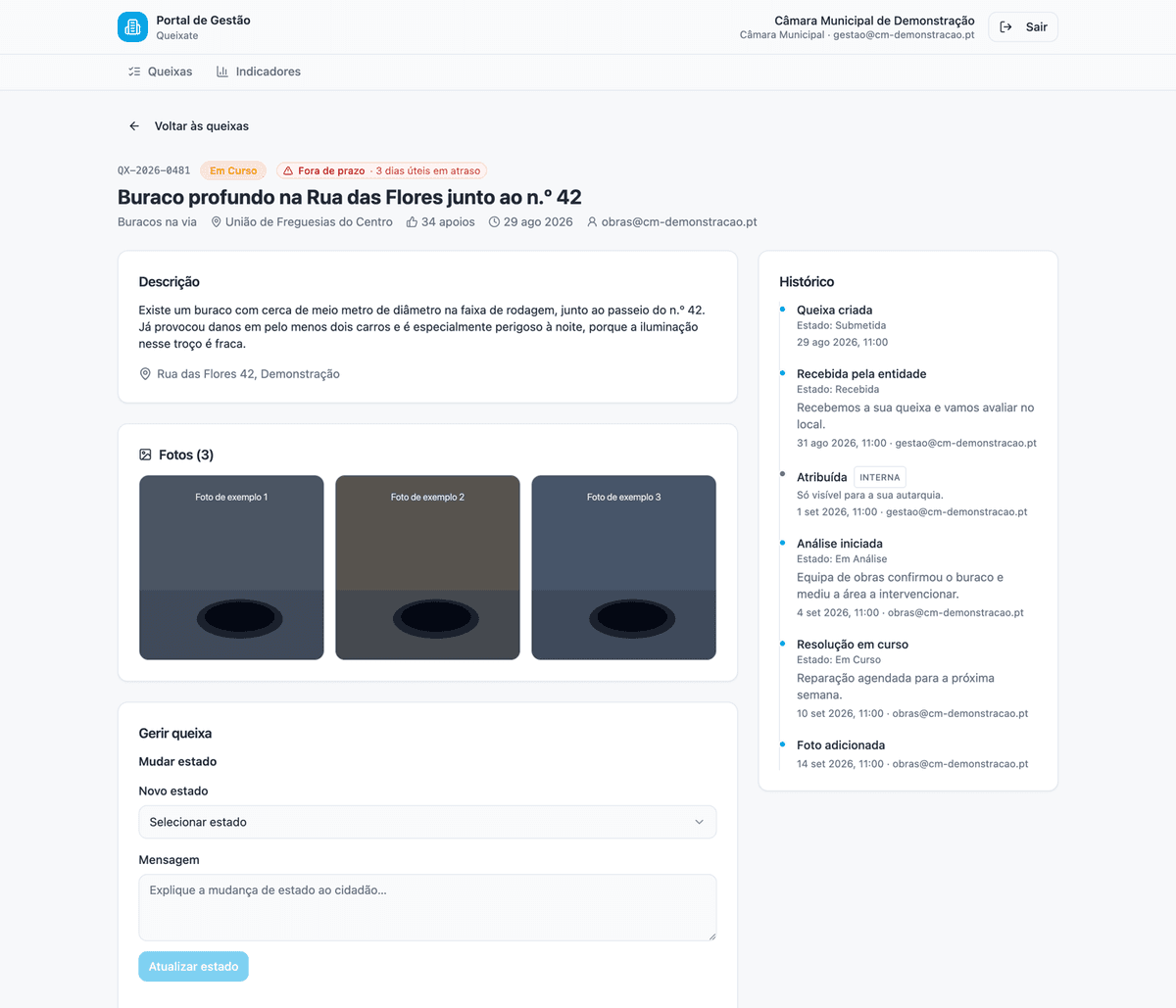
On the right side is the Manage complaint panel, with four actions.
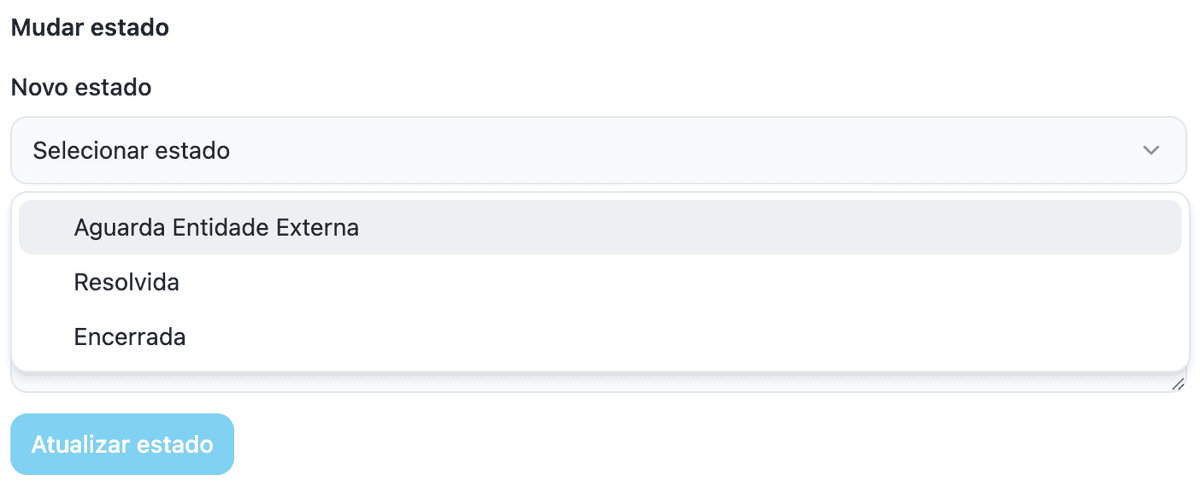
Change status. Statuses track work as it happens: Submitted, Received, Under Analysis, In Progress, Awaiting External Entity, Resolved, Contested, Reopened, Closed. Changing status requires writing a message — and that message is what citizens receive by email, with a direct link to track their complaint. There are no status changes without written explanation, and each one stays in the history with date and author.
Assign a responsible person. Each complaint can have the name of who handles it. Colleagues find their work in the filter Responsible → Assigned to me.
Write an internal note. A comment box with an option — internal note, not visible to citizens — to coordinate between services without exposing the work conversation. An internal note can change status, but its text never goes out in the email to citizens.
Upload a photo. The photo of the work done, with caption, stays attached to the complaint. It's proof of resolution, in the right place.
Deadlines: what the portal does and doesn't do
It's worth being exact, because this is where tools usually over-promise.
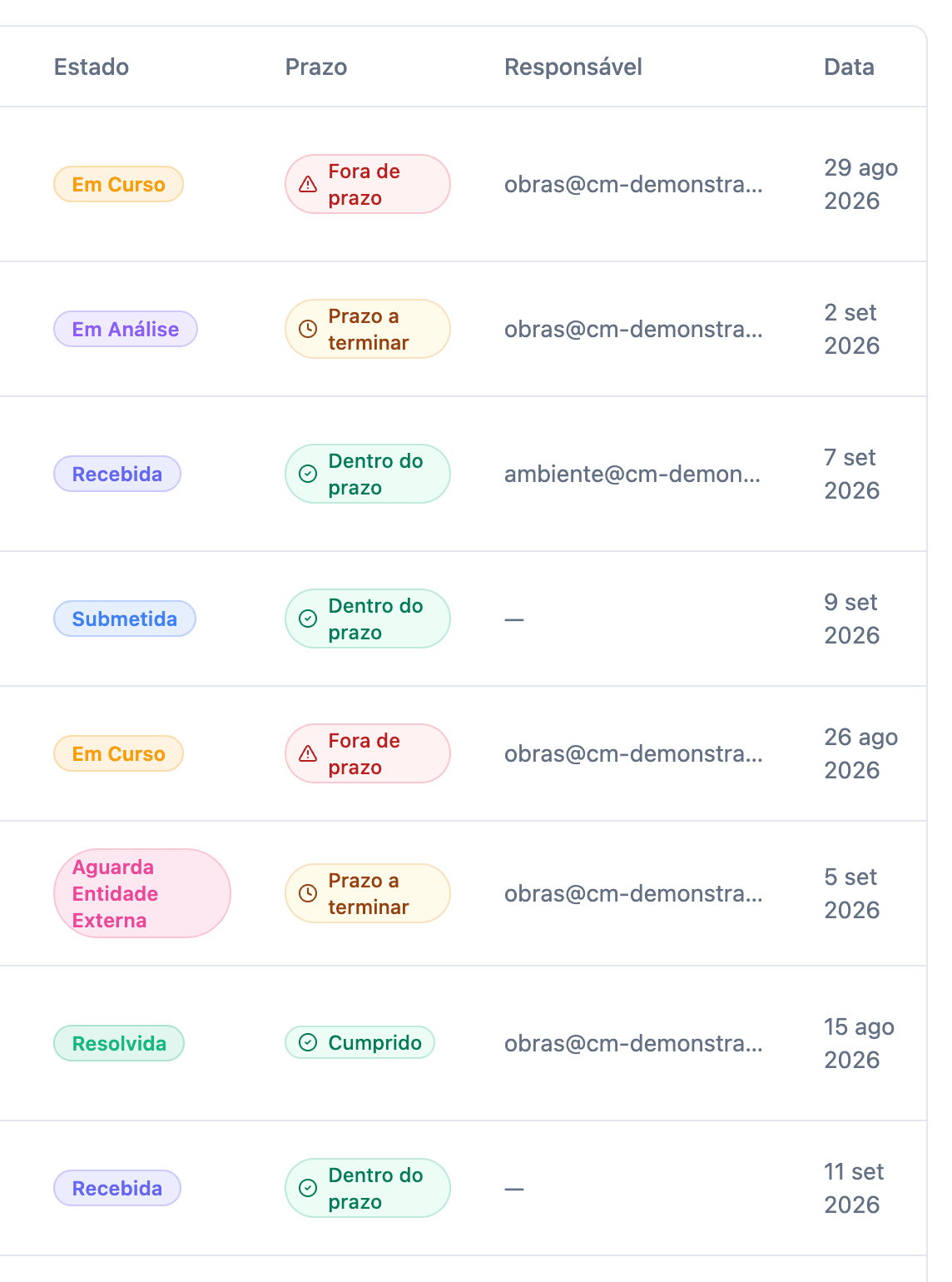
The portal applies an internal deadline of 15 business days from submission. It's the operational target that Queixate uses to measure follow-up — it's not a legal obligation nor a deadline imposed on the municipality. Each complaint shows an indicator: within deadline, deadline ending, or past deadline.
What the portal doesn't do is send deadline warnings to the municipality. There's no email saying "two days left". Anyone wanting to control deadlines opens the Indicators tab — that's where the counters are — or filters the list by deadline. We say this openly so no one expects an alert that won't come.
Security: no passwords, no installation
Managing complaints means handling people's information. Access was designed around that.
Login is with a code, not a password. Users write their institutional email and receive a six-digit code, valid for 15 minutes. Code requests are limited by email and per hour, and wrong attempts are too. There's no password to forget, to share on a post-it, or to recover.
Each person sees only their jurisdiction. A municipality user sees complaints from the entire municipality, including those from their parishes; a parish user sees only those from their parish. Separation is guaranteed in data access, not just in what the screen shows.
Only who the municipality indicates can enter. The access list is provisioned by Queixate at the municipality's request. To give access to more colleagues, just send an email to suporte@queixate.pt — there's no administration panel where someone adds themselves.
There's nothing to install. It works in any browser, on any computer, and doesn't require integration with existing systems.
Why this matters
For citizens, the difference is knowing — without having to go check. The complaint was received, has a status, and whenever that status changes an email arrives with the message written by a person and the link to follow the rest. No need to return to the site to find out if someone picked it up.
For the municipality, the difference is that triage stops being archaeology. The list is made, the filters are there, the history records who did what and when. And when the work is done, the photo of the completed work stays attached to the complaint that originated it.
Queixate is available in 308 municipalities. The Portal is the part of the cycle that was missing: not just collecting the complaint, but closing it — with name, date, and proof.
How to start
- Watch the tutorial — 90 seconds with the complete flow: portal guide
- Read the step-by-step guide — queixate.pt/guia-portal
- Enter the portal with your municipality's institutional email: queixate.pt/portal
- Need access for colleagues? Write to
suporte@queixate.pt.
The portal is free for municipalities.
Ready to make a difference?
By default, every complaint filed is public. Join thousands of citizens already using Queixate to improve their cities.